Transform WINDOWS TO MAC OS
Transform your windows
this blog cuman mau bantu untuk memper cantik computer anda !!!
semoga anda sukaa ...... !!!!!
CONTACT US !
Email: windowstransform@yahoo.com
screen shoot for transform windows to mac 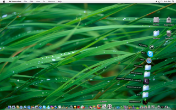 |
Mac OS X transformation for Windows vista
In past we had covered Mac OS X transformation for Windows vista &Windows 7 now here is Leopart-X Theme for Windows XP
which lets you to transform Windows XP in to Mac OS X.
Leopard-X will offer you the possibility to customize the appearance of your XP computer and apply it a Mac style. Leopard-X
includes Leopard-X visual style (4 variations), Leopard-X styler, Leopard-X Mac search skin, Leopard-X Dock skin & Wallpapers.
Leopard-X
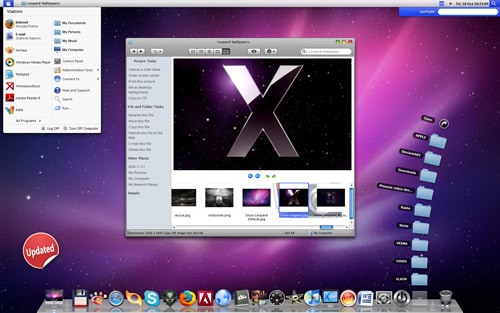
FlyakiteOSX is a transformation pack. It will transform the look of an ordinary Windows XP+ system to resemble the look of Mac OS X.
The installer simply automates the process of replacing critical system files, setting registry tweaks, and installing extras such as cursors,
sounds, visual styles, etc. FlyakiteOSX DOES NOT contain any spyware or ad-ware of any kind. All files needed for FlyakiteOSX are stored
in the Windows directory in a folder named ‘FlyakiteOSX’ that is hidden by default. All registry values for FlyakiteOSX are written to HKEY_LOCAL_MACHINE\Software\FlyakiteOSX.
Requirements
To install FlyakiteOSX, you need the following operating systems
- Windows XP (Home, Pro, RTM, SP1, SP2, Corporate)
- Windows 2003 (Standard, Enterprise, Datacenter, Web, RTM, SP1)
- Windows Media Center Edition (2003, 2004, 2005)
- All Language Versions
- Does NOT work with 64 bit versions of Windows!
Install FlyakiteOSX in Windows
Make sure that you have enough disk space to install the program.Now you need to download latest version from here and now you have
FlyakiteOSX v3.0.zip file extract and double click on FlyakiteOSX v3.0.exe file
Loading FlyakiteOSX

FlyakiteOSX Welcome Screen click next

Read and Accept the terms and click next

Installation Notes click next

Check the components you would like to install. Default (Create Restore Point, System Files, Extras, Skins, Registry Tweaks) is recommended and will take up 191.8MB of space but you will get the full features. However, you can also customize yourself by ticking off the checkboxes.Choose extra softwares such as RK Launcher ( Allows visually pleasing bar at the side of the screen that is used to quickly launch shortcuts), ObjectDock ( Lets you organize your short-cuts and running tasks onto an extremely customizable dock that sits on your desktop), WinRoll, iColorFolder and Y’z Shadow. Recommended to choose RK Launcher and all three of the above. Click Install and you are done.

FlyakiteOSX Installation in Progress

FlyakiteOSX Installation completed and click next

Select Reboot and click finish

At the time of rebooting you should see similar to the following Boot Screen

Now you can see your new Mac OSX Login Screen
Once you login in to your windows XP system this is your main Screen
and MORE !!!
>My Computer Screen
>Internet Explorer Screen
>Mac OSx Style Dock Screen
>System Preferences Scree
>Windows XP control Panel
>Windows XP Turnoff and Shutdown Screen
